For investors and owners with more ideas than hours

Set up an AI chief of staff that does the work

It reads your email, watches your calendar, chases quotes and drafts the replies, then brings you one card to approve. This is the step-by-step guide and the exact prompts I used to set up my own.
Get the kit ($47)23-page PDF guide · copy-and-paste prompts · one-time
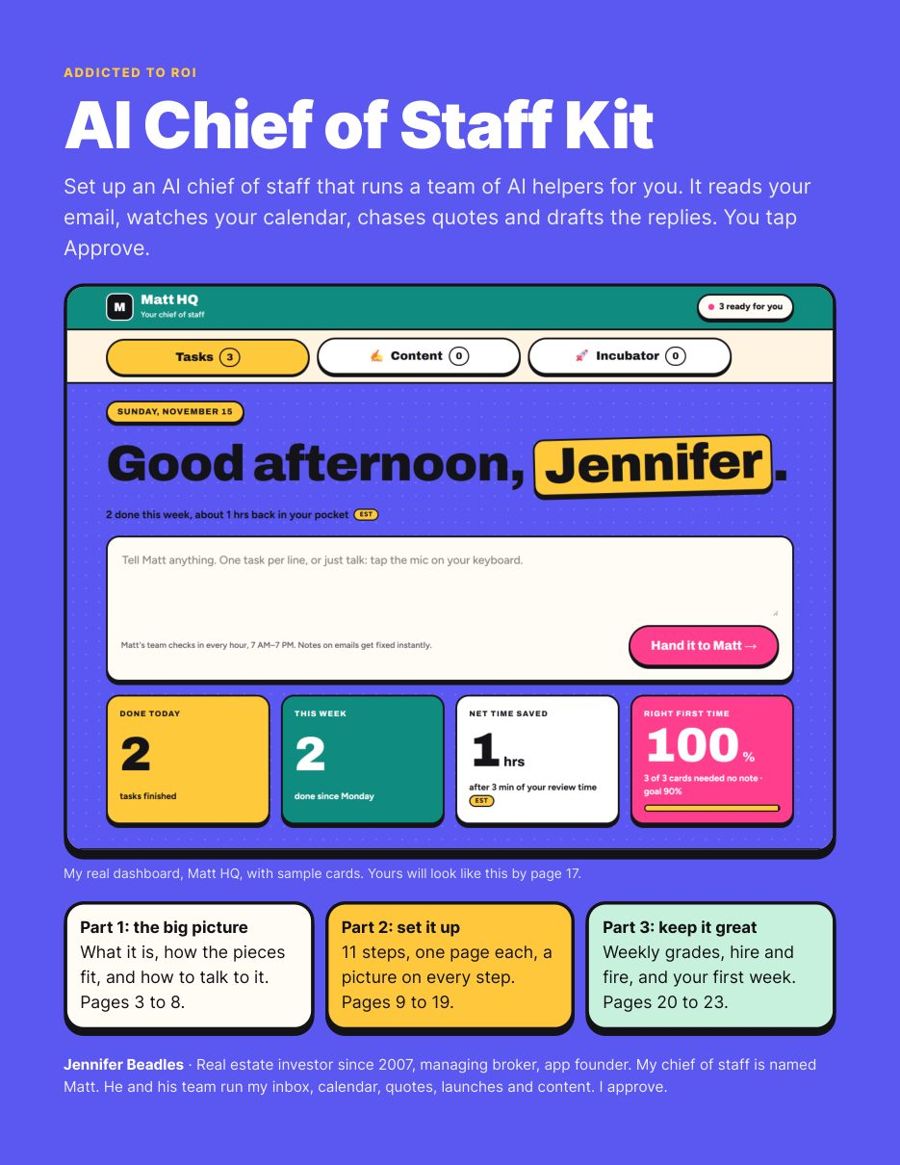
Cover of the AI Chief of Staff Kit, showing a bright dashboard with cards to approve
Why I made this

The ideas were never the problem. The hours were.

I have invested in real estate since 2007, I am a managing broker in Arizona and Washington, and I build apps. I have ideas every few minutes. This year I set up an AI chief of staff named Matt, and he hired his own team of AI helpers: inbox, calendar, money, research, writing and a quality check.

Insurance quotes on three rentals used to take me an afternoon. This time my part took about 5 minutes, and the requote saved $980. Now I talk an idea into my phone, put it down, and play soccer with my kids at 6 PM. When we set one up for my husband, I wrote down everything we had to learn the hard way. That is this kit.

What's inside

The big picture first, then 11 steps with a picture on each

A few of the 23 pages. The prompts file has all 7 prompts ready to paste.
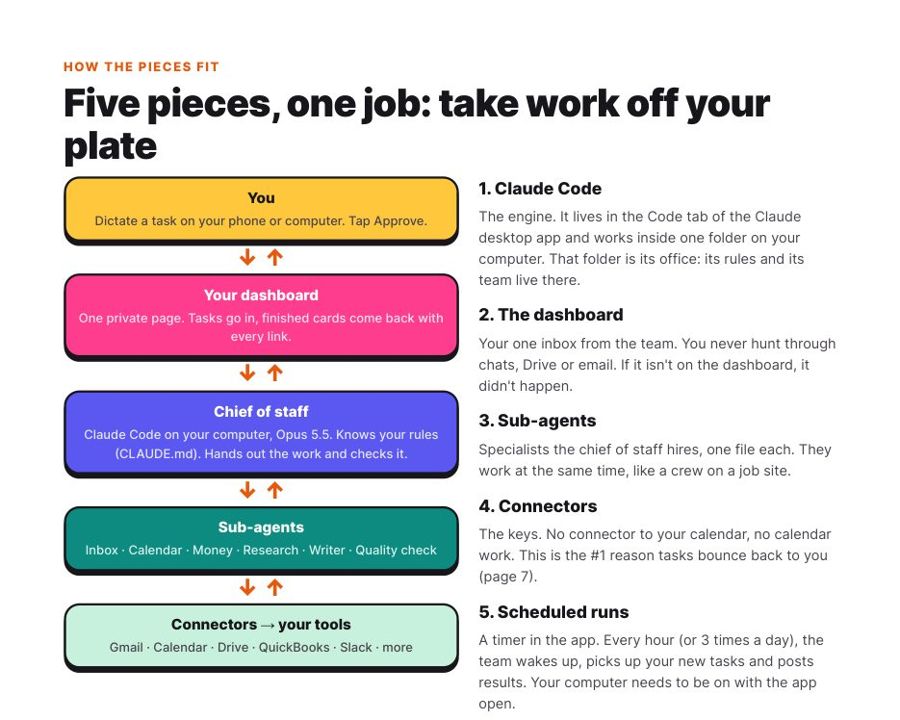
Kit page: The big picture first
The big picture first. What a chief of staff is, and how the five pieces fit: Claude Code, your dashboard, sub-agents, connectors and scheduled runs.
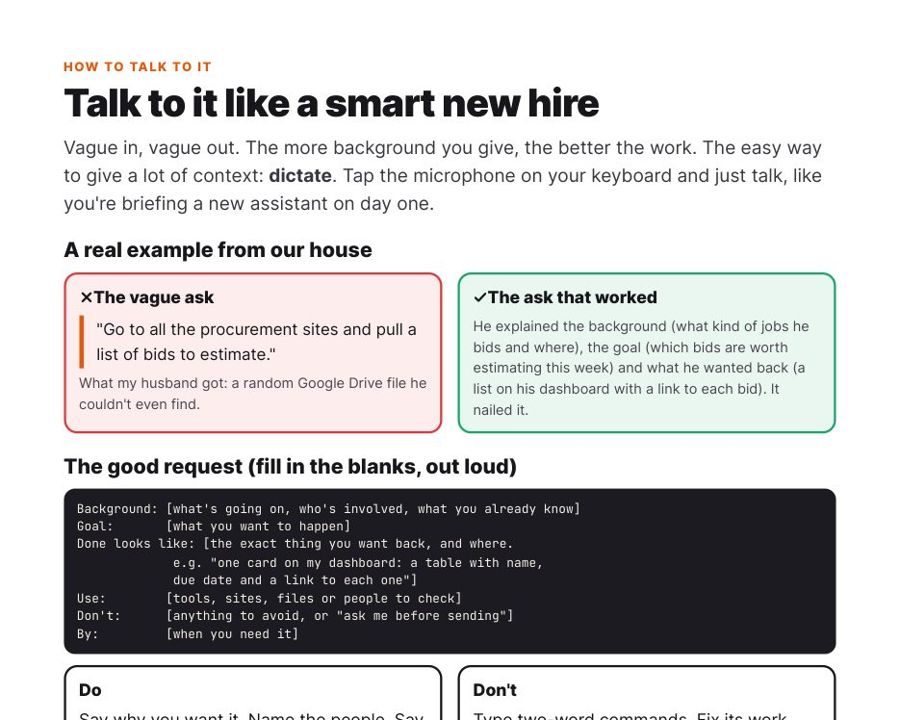
Kit page: How to talk to it
How to talk to it. Dictate, and give it the background, the goal and what done looks like. A real example of a vague ask versus one that worked, plus a fill-in template.
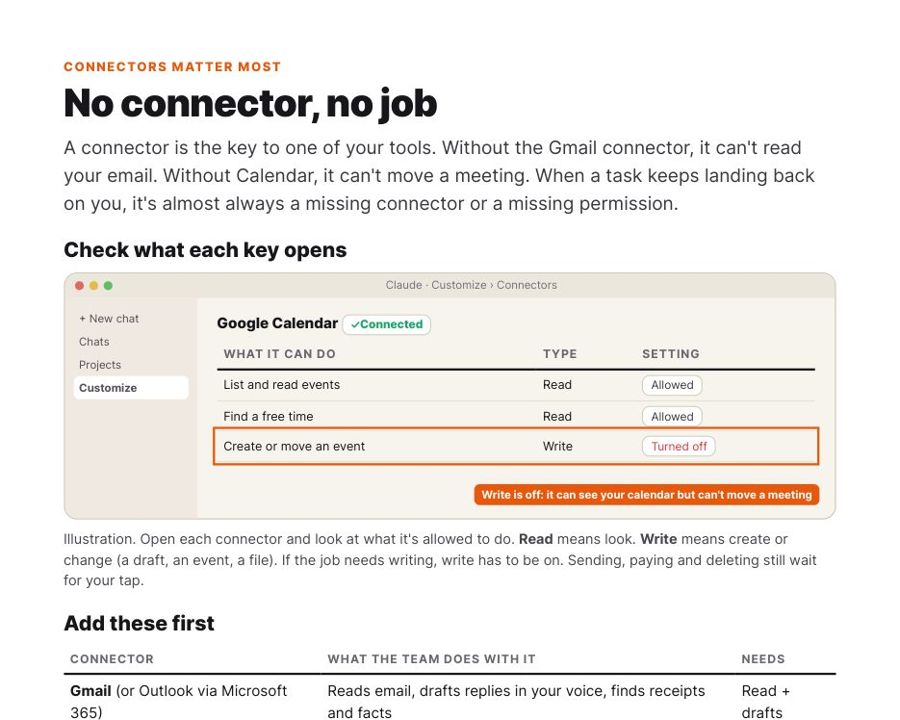
Kit page: Connectors and permissions
Connectors and permissions. Why tasks bounce back to you, how to check read versus write access, and which connectors to add first.
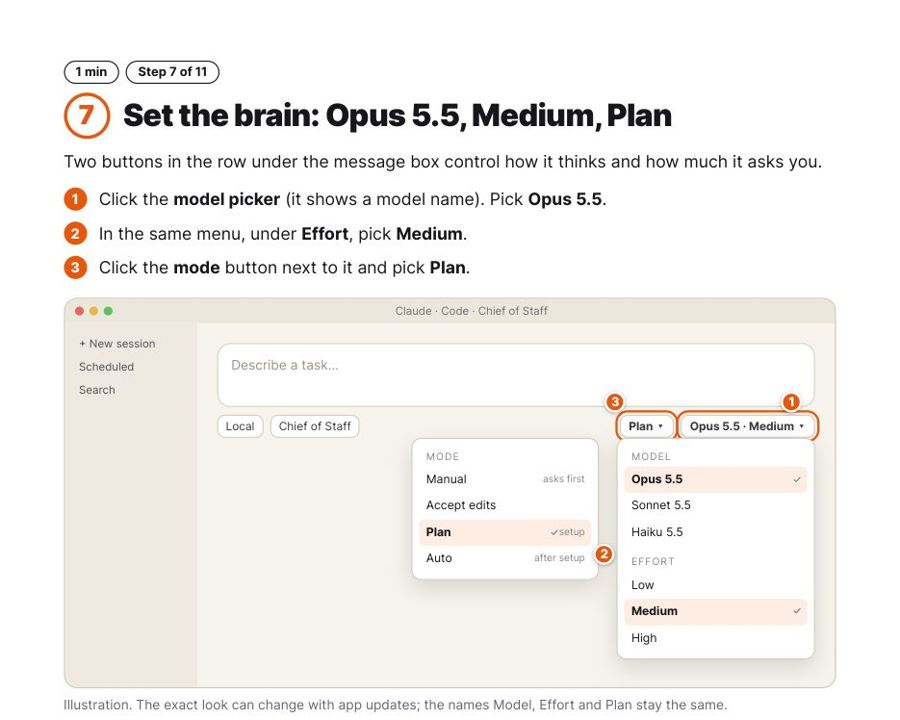
Kit page: 11 steps, a picture on each
11 steps, a picture on each. Exactly where to click, including the model, effort and mode settings that make it work.
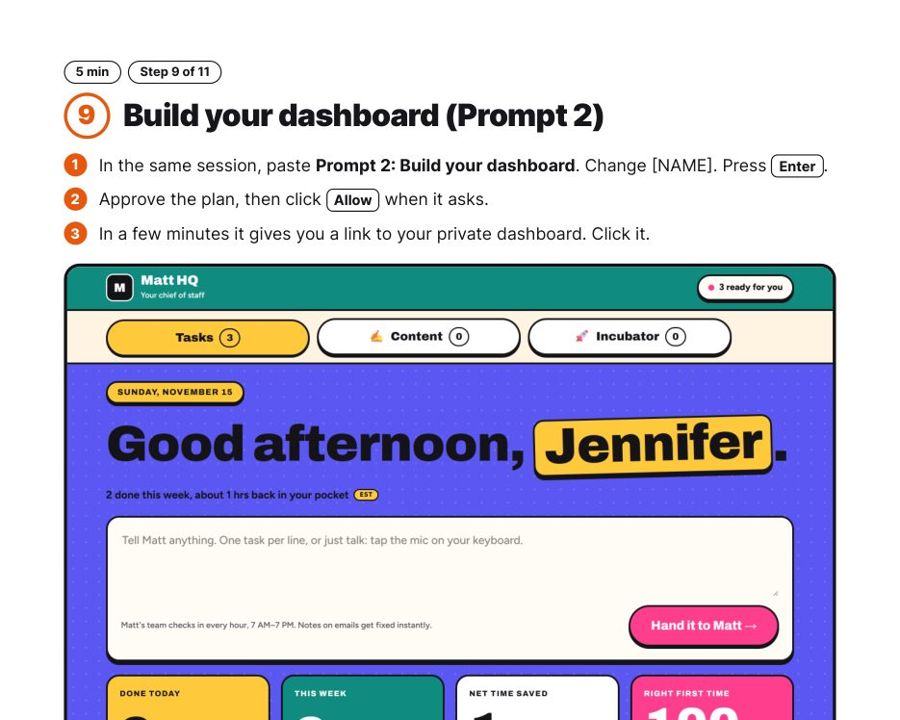
Kit page: A dashboard you will actually open
A dashboard you will actually open. A copy-and-paste prompt that builds a big, bright dashboard like mine. Works on your phone.
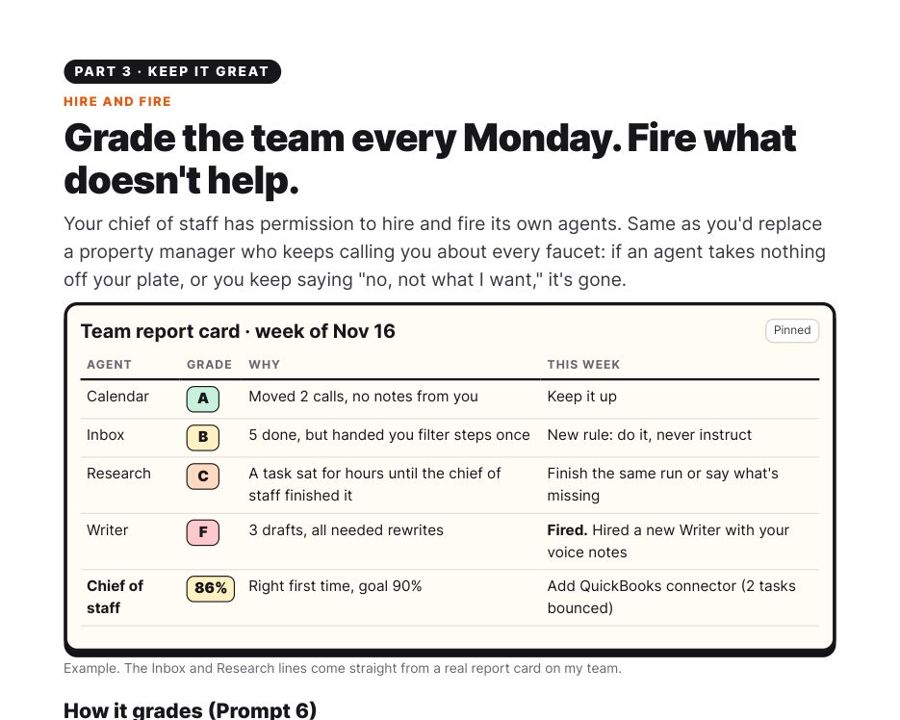
Kit page: Grade it. Hire and fire.
Grade it. Hire and fire.. A weekly report card with a 90% right-first-time bar. It replaces any helper that does not take work off your plate.
Questions

Before you buy

Do I need to be techy?
No. If you can dictate a text message, you can do this. Every step is one page with a picture, and you copy and paste the prompts. You talk to it in plain English.
What else do I need?
A paid Claude plan and the free Claude desktop app for Mac or Windows. I use the Max plan ($100 a month), which runs the smartest model all day. Pro ($20 a month) can work to try it, but you will hit limits fast. You also need your email, calendar and files (Google or Microsoft).
How long does setup take?
Read the big picture in about 10 minutes, then about an hour at your computer for the 11 steps. Day 1 has lots of back and forth while it learns you. That is normal, and the guide shows you how to handle it.
Is it safe?
The setup prompt writes the rules in from the start: nothing is sent, posted, paid, booked, signed or deleted without your tap. You never type a password into a chat; you sign in to each tool yourself. Money tools stay read-only.
What do I get?
A 23-page PDF guide and the prompts file (7 copy-and-paste prompts: setup, dashboard design, schedule, a good-request template, connector check, weekly review, reset). You download both right after checkout, and we email them to you too.
Is this a subscription?
No. $47 once. The kit is yours. Claude itself is a separate plan you pay Anthropic for.
Instant download

Hand off your first errand tonight.

$47, one time. Pay on Stripe's secure checkout and you land on the download page right away. We email you both files too.

Jennifer

A setup guide, not legal, tax or financial advice. You stay in charge of every send, payment and signature. Claude is a product of Anthropic and is sold separately; this kit is not made or endorsed by Anthropic. Screens in the Claude app can change with updates.